
How to use stayV Host · EP. 30
Using stayV HostFind help and contact support
At a glance
When a button is missing or saving looks wrong, search the help centre and send a useful support question. Includes an example and information to leave out.


Missing buttons or unexpected saved results can be frustrating. Identifying the screen and what you were trying to do makes it easier to find help. Let’s include useful details in a support question while leaving passwords out.
At a glance
- Save unfinished editing before moving elsewhere.
- Search the help centre for the screen or task.
- If unresolved, use Contact at the top.
- Briefly explain the screen, attempted action, result and time.
- Leave out passwords, entry codes and guest contacts.
Learn more
1. Search for the task in Help
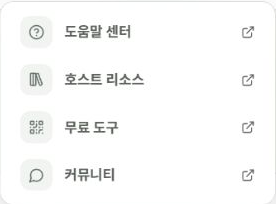
Open Help → Help centre and search for terms such as calendar connection, photo saving, publication or Guide Code. Naming the step where you became stuck is more useful than searching for “error” alone.
Save unfinished edits before moving pages so your work is not lost.
2. Check these when a button is missing
A missing button is not always an error. Check:
- Is the feature available on your current Free or Plus plan?
- Is the property published? Guest links and QR codes require publication.
- Are you logged into the correct account?
If Airbnb or a map app differs from the article, note whether the issue is in stayV or that service’s changed interface.
3. Prepare your question
Open Contact at the top. Choose Visibility, including whether other hosts may see the question, then enter a title and details. Read it again before selecting Submit question.
For example:
Screen: Reservation schedule and access management → Calendar integration
Attempted action: Connected Airbnb and selected Sync now
Result: It says Success, but the October 12–14 reservation is missing
When: Around 3 p.m. on October 4
Already tried: Checked the property and calendar month, then synced once more
Adapt each line to your situation.
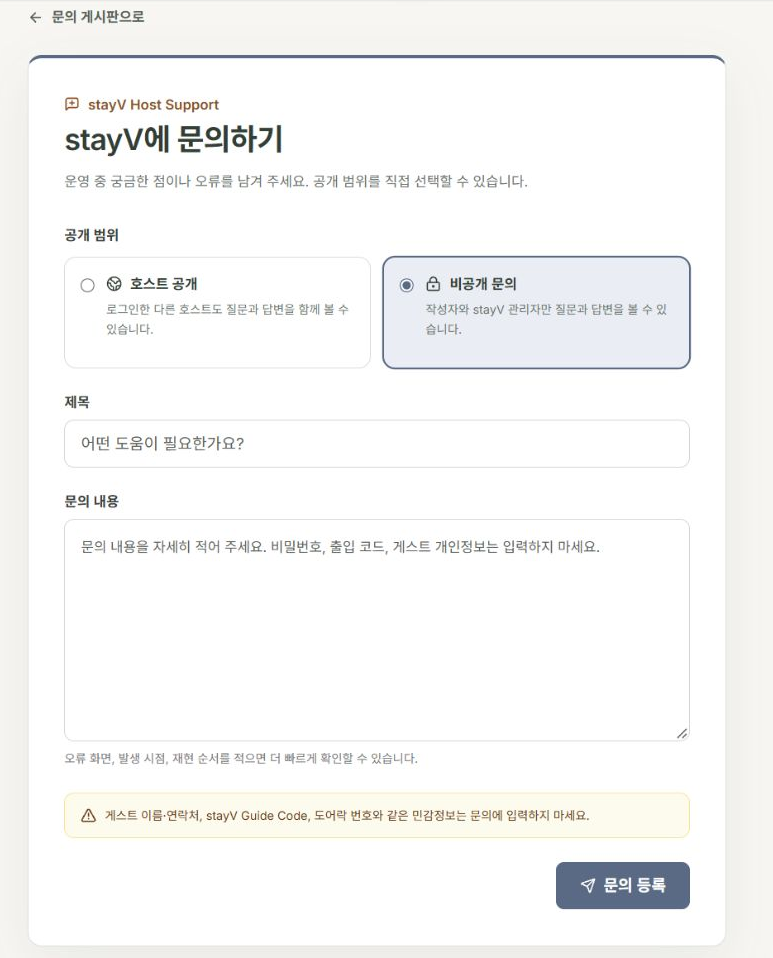
4. Leave out passwords and personal details
Keep iCal URLs, Guide Codes, door codes, detailed addresses and guest contacts out of questions and screenshots. Check pasted error messages for embedded links or numbers too.
When asking the host AI assistant, ask about functions, such as where a button is, rather than pasting real passwords. Screen names and the sequence of actions are enough to help.
5. Learn from other hosts in the community
The host community shares operational experience. Free supports reading; posting is available on Plus and above.
Another property’s experience may differ from yours. Keep guest details and private conversations out of shared examples.
6. Check the result after receiving an answer
Follow the reply and confirm the issue is resolved. If guidance wording caused it, update the original, translation and guest view together.
You can revisit submitted questions in My questions.
Check your progress
- You described the affected screen and steps.
- You chose question visibility.
- Text and attachments contain no passwords or personal information.
Availability and things to know
Help and support questions are available on Free. Community posting requires Plus or above.
Read next
Episode 29 · Check your account, plan and exported data
Episode 31 · Manage today’s tasks and property preparation schedules